Whats All This Then?
Well what this is, is an extremely helpful list of keyboard shortcuts in Google Sheets. Google Sheets is the equalivant to Microsoft Excel. So these commands are for Windows and boy to I love them.
Want to insert a row in Sheets?
Want to delete a row?
Full Page is here with links to Windows, Chrome OS and Mac
|
|||||
|---|---|---|---|---|---|
| Select column | Ctrl + Space | ||||
| Select row | Shift + Space | ||||
| Select all | Ctrl + a Ctrl + Shift + Space |
||||
| Undo | Ctrl + z | ||||
| Redo | Ctrl + y Ctrl + Shift + z F4 |
||||
| Find | Ctrl + f | ||||
| Find and replace | Ctrl + h | ||||
| Fill range | Ctrl + Enter | ||||
| Fill down | Ctrl + d | ||||
| Fill right | Ctrl + r | ||||
| Save (every change is saved automatically in Drive) |
Ctrl + s | ||||
| Open | Ctrl + o | ||||
| Ctrl + p | |||||
| Copy | Ctrl + c | ||||
| Cut | Ctrl + x | ||||
| Paste | Ctrl + v | ||||
| Paste values only | Ctrl + Shift + v | ||||
| Show common keyboard shortcuts | Ctrl + / | ||||
| Insert new sheet | Shift + F11 | ||||
| Compact controls | Ctrl + Shift + f | ||||
| Input tools on/off (available in spreadsheets in non-Latin languages) |
Ctrl + Shift + k | ||||
| Select input tools | Ctrl + Alt + Shift + k | ||||
|
Format cells |
|||||
| Bold | Ctrl + b | ||||
| Underline | Ctrl + u | ||||
| Italic | Ctrl + i | ||||
| Strikethrough | Alt + Shift + 5 | ||||
| Center align | Ctrl + Shift + e | ||||
| Left align | Ctrl + Shift + l | ||||
| Right align | Ctrl + Shift + r | ||||
| Apply top border | Alt + Shift + 1 | ||||
| Apply right border | Alt + Shift + 2 | ||||
| Apply bottom border | Alt + Shift + 3 | ||||
| Apply left border | Alt + Shift + 4 | ||||
| Remove borders | Alt + Shift + 6 | ||||
| Apply outer border |
Alt + Shift + 7 Ctrl + Shift + 7 |
||||
| Insert link | Ctrl + k | ||||
| Insert time | Ctrl + Shift + ; | ||||
| Insert date | Ctrl + ; | ||||
| Insert date and time | Ctrl + Alt + Shift + ; | ||||
| Format as decimal | Ctrl + Shift + 1 | ||||
| Format as time | Ctrl + Shift + 2 | ||||
| Format as date | Ctrl + Shift + 3 | ||||
| Format as currency | Ctrl + Shift + 4 | ||||
| Format as percentage | Ctrl + Shift + 5 | ||||
| Format as exponent | Ctrl + Shift + 6 | ||||
| Clear formatting | Ctrl + \ | ||||
|
Navigate spreadsheet |
|||||
| Move to beginning of row | Home | ||||
| Move to beginning of sheet | Ctrl + Home | ||||
| Move to end of row | End | ||||
| Move to end of sheet | Ctrl + End | ||||
| Scroll to active cell | Ctrl + Backspace | ||||
| Move to next sheet | Ctrl + Shift + Page Down | ||||
| Move to previous sheet | Ctrl + Shift + Page Up | ||||
| Display list of sheets | Alt + Shift + k | ||||
| Open hyperlink | Alt + Enter | ||||
| Open Explore | Alt + Shift + x | ||||
| Move focus out of spreadsheet | Ctrl + Alt + Shift + m | ||||
| Move to quicksum (when a range of cells is selected) |
Alt + Shift + q | ||||
| Move focus to popup (for links, bookmarks, and images) |
holding Ctrl + Alt, press e then p | ||||
| Open drop-down menu on filtered cell | Ctrl + Alt + r | ||||
| Open revision history | Ctrl + Alt + Shift + h | ||||
| Open chat inside the spreadsheet | Shift + Esc | ||||
| Close drawing editor | Shift + Esc | ||||
|
Edit notes and comments |
|||||
| Insert/edit note | Shift + F2 | ||||
| Insert/edit comment | Ctrl + Alt + m | ||||
| Open comment discussion thread | Ctrl + Alt + Shift + a | ||||
| Enter current comment | holding Ctrl + Alt, press e then c | ||||
| Move to next comment | holding Ctrl + Alt, press n then c | ||||
| Move to previous comment | holding Ctrl + Alt, press p then c | ||||
|
Open a menu |
|||||
| File menu | in Google Chrome: Alt + f other browsers: Alt + Shift + f |
||||
| Edit menu | in Google Chrome: Alt + e other browsers: Alt + Shift + e |
||||
| View menu | in Google Chrome: Alt + v other browsers: Alt + Shift + v |
||||
| Insert menu | in Google Chrome: Alt + i other browsers: Alt + Shift + i |
||||
| Format menu | in Google Chrome: Alt + o other browsers: Alt + Shift + o |
||||
| Data menu | in Google Chrome: Alt + d other browsers: Alt + Shift + d |
||||
| Tools menu | in Google Chrome: Alt + t other browsers: Alt + Shift + t |
||||
| Open insert menu | Ctrl + Alt + Shift + = Ctrl + Alt + = (with cells selected) |
||||
| Open delete menu | Ctrl + Alt + - (with cells selected) | ||||
| Form menu (present when the spreadsheet is connected to a form) |
in Google Chrome: Alt + m other browsers: Alt + Shift + m |
||||
| Add-ons menu | in Google Chrome: Alt + n other browsers: Alt + Shift + n |
||||
| Help menu | in Google Chrome: Alt + h other browsers: Alt + Shift + h |
||||
| Accessibility menu (present when screen reader support is enabled) |
in Google Chrome: Alt + a other browsers: Alt + Shift + a |
||||
| Sheet menu (copy, delete, and other sheet actions) |
Alt + Shift + s | ||||
| Context menu | Ctrl + Shift + \ | ||||
|
Insert, delete, hide, or unhide rows or columns |
|||||
| Insert rows above |
Ctrl + Alt + Shift + = Ctrl + Alt + = (with rows selected) in Google Chrome: Alt + i, then r other browsers: Alt + Shift + i, then r |
||||
| Insert rows below | in Google Chrome: Alt + i, then w other browsers: Alt + Shift + i, then w |
||||
| Insert columns to the left |
Ctrl + Alt + Shift + = Ctrl + Alt + = (with columns selected) in Google Chrome: Alt + i, then c other browsers: Alt + Shift + i, then c |
||||
| Insert columns to the right | in Google Chrome: Alt + i, then o other browsers: Alt + Shift + i, then o |
||||
| Delete rows |
Ctrl + Alt + - (with rows selected) in Google Chrome: Alt + e, then d other browsers: Alt + Shift + e, then d |
||||
| Delete columns |
Ctrl + Alt + - (with columns selected) in Google Chrome: Alt + e, then e other browsers: Alt + Shift + e, then e |
||||
| Hide row | Ctrl + Alt + 9 | ||||
| Hide column | Ctrl + Alt + 0 | ||||
| Unhide row | Ctrl + Shift + 9 | ||||
| Unhide column | Ctrl + Shift + 0 | ||||
|
Use formulas |
|||||
| Show all formulas | Ctrl + ~ | ||||
| Insert array formula | Ctrl + Shift + Enter | ||||
| Collapse an expanded array formula | Ctrl + e | ||||
| Show/hide formula help (when entering a formula) |
Shift + F1 | ||||
| Full/compact formula help (when entering a formula) |
F1 | ||||
| Absolute/relative references (when entering a formula) |
F4 | ||||
| Toggle formula result previews (when entering a formula) |
F9 | ||||
| Resize formula bar (move up or down) |
Ctrl + Up / Ctrl + Down | ||||
|
Help for screen readers |
|||||
| Turn on screen reader support Learn more about using Google Sheets with a screen reader |
Ctrl + Alt + z | ||||
| Read column | Ctrl + Alt + Shift + c | ||||
| Read row | Ctrl + Alt + Shift + r | ||||
Showing posts with label chrome. Show all posts
Showing posts with label chrome. Show all posts
Friday, June 23, 2017
Keyboard shortcuts for Google Sheets


Tuesday, March 12, 2013
Test Your Browser... HTML5test.com
Hi there.. it has been a while since i was on and I missed it alot. Enough of that! Onto browser testing...
Go to html5test.com and you will be presented with a page telling you how well your browser can handle HTML version 5. Why would you want your browser to handle html 5? Well version 5 supports alot of things that make your web experience better... alot better when it is implemented.
So on my computer I have Explorer, Firefox, and Chrome... I have not updated all of the browsers yet and I have run the test to see how they do before and after latest versions of the browser. Now remember the following... these marks are out of 500... ahem Microsoft....
Go to html5test.com and you will be presented with a page telling you how well your browser can handle HTML version 5. Why would you want your browser to handle html 5? Well version 5 supports alot of things that make your web experience better... alot better when it is implemented.
So on my computer I have Explorer, Firefox, and Chrome... I have not updated all of the browsers yet and I have run the test to see how they do before and after latest versions of the browser. Now remember the following... these marks are out of 500... ahem Microsoft....
 |
| I don't know what version exactly this is.. What is Version compared to Update Version? Stupid Microsoft! |
- Microsoft Internet Explorer v9 - 138 plus 10 bonus points!
- Mozilla Firefox v16.0.2 - This got 372 plus 10 bonus points.
- Google Chrome Version 25.0.1364.152 m 463 plus 10 bonus points
Microsoft Internet Explorer v9 - 138 plus 10 bonus points!
Mozilla Firefox v16.0.2 - This got 372 plus 10 bonus points.
 |
| Damn thats kinda crap! Microsoft really bad... |
 |
| Firefox did ok.... |
Google Chrome Version 25.0.1364.152 m 463 plus 10 bonus points
 |
| Google Chrome did very well... |
So then I attempted to update the 3 tested browsers again to see what would happen... lets see if the scores improved or got worse!
Before
After
Conclusion...
Keep your browsers up to date.. this test shows how updating can be very useful .. not only from the obvious security point of view but also from the experience you will get from your daily browsing...
Before
- Microsoft Internet Explorer v9 - 138 plus 10 bonus points!
- Mozilla Firefox v16.0.2 - This got 372 plus 10 bonus points.
- Google Chrome Version 25.0.1364.152 m 463 plus 10 bonus points
- Google Chrome on my Samsung Galaxy S3 Android version 4.1.2 - 417 plus 11 bonus points.
After
- Microsoft Internet Explorer v9 - Do not know how to update browser easily.. fail again MS
- Mozilla Firefox v19.0.2 - This got 393 plus 10 bonus points. - Up 21 points!
- Google Chrome Version 25.0.1364.160 m 463 plus 10 bonus points - Same score...
- Google Chrome on my Samsung Galaxy S3 Android version 4.1.2 - Didn't test yet...
Conclusion...
Keep your browsers up to date.. this test shows how updating can be very useful .. not only from the obvious security point of view but also from the experience you will get from your daily browsing...
Thursday, March 22, 2012
2012 - Day 81 - Battlestar Galactica: Blood & Chrome
There are some things in ones life that you look back on and you realise what age you are and your current financial situation, you might have kids... you might be sick... who knows. But you look at your life and you realise that "this thing happened in the past and I can never redo/do/undo it."
Battlestar Galactica is not like this at all! It is a brilliant series and I have never seen it. However, if I want to see it I can just download it, look at it on my 1 months free from Netflix or get a DVD off someone! Rock on!
Now that there is a new Battlestar Galactica coming out called Blood & Chrome I realise that I have wasted enough of my life... I am going to watch the first episode of BSG (not the 70's one obviously - I actually technically saw all those I believe) tonight with or without Linda and for once and for all catch up on BSG. As Captain Picard said in the last episode of Star Trek: The Next Generation... "I should have done this a long time ago."
Battlestar Galactica is not like this at all! It is a brilliant series and I have never seen it. However, if I want to see it I can just download it, look at it on my 1 months free from Netflix or get a DVD off someone! Rock on!
 |
| Must... Watch.... BSG |
Now that there is a new Battlestar Galactica coming out called Blood & Chrome I realise that I have wasted enough of my life... I am going to watch the first episode of BSG (not the 70's one obviously - I actually technically saw all those I believe) tonight with or without Linda and for once and for all catch up on BSG. As Captain Picard said in the last episode of Star Trek: The Next Generation... "I should have done this a long time ago."
Subscribe to:
Posts (Atom)
The Reality Of The News
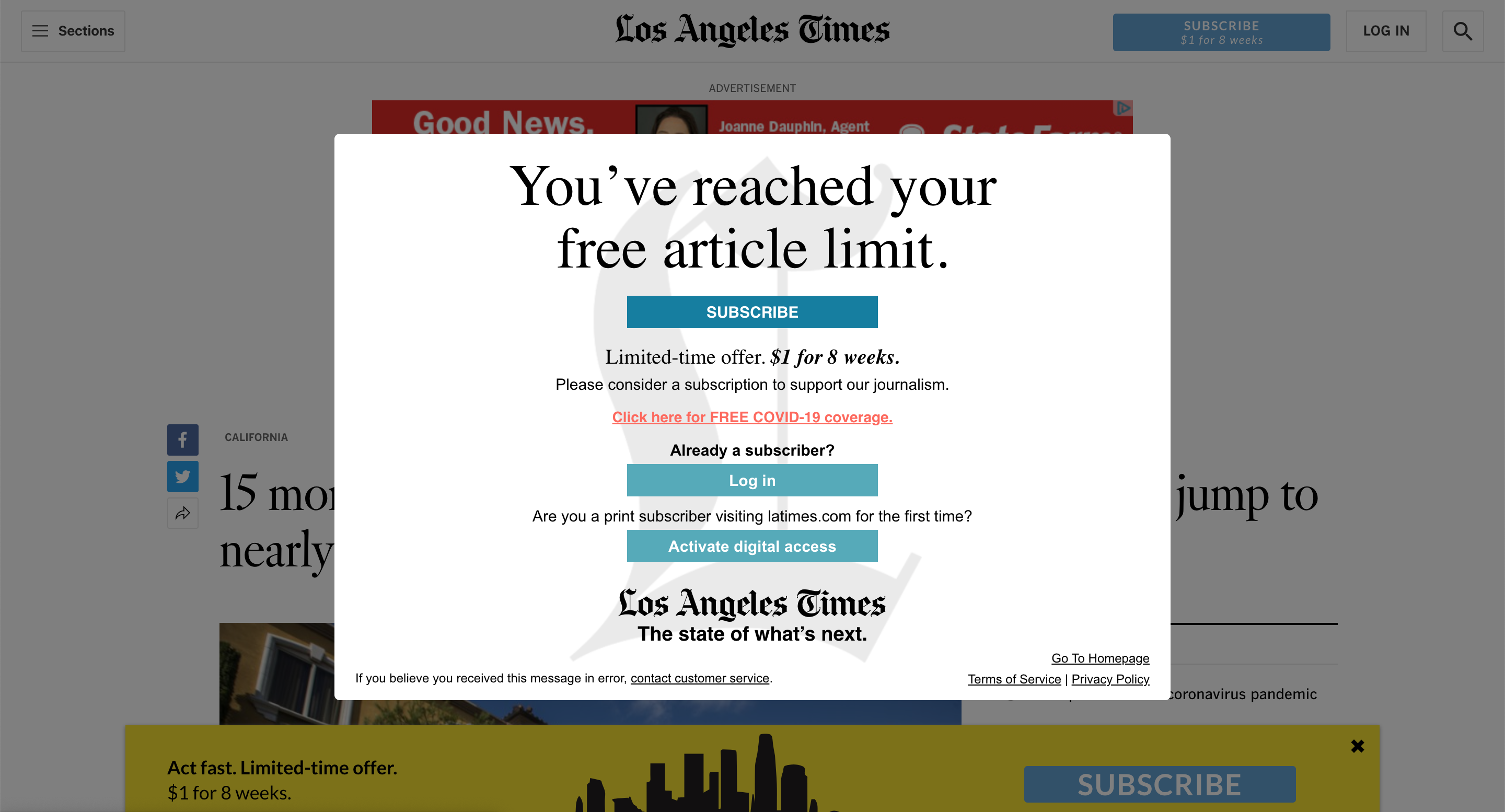
There have been a few times where I have clicked on a news article only to realise that I have been hit with a paywall. I don't mean thi...
-
There have been a few times where I have clicked on a news article only to realise that I have been hit with a paywall. I don't mean thi...
-
 So nothing particularly great happened today. I guess lots of days are going to be like this. I talked to a guy about getting a job, but it ...
 -
 Ok folks... we're doing pretty good so far. Not an end of the world in site. But there never is, is there? The worst things in life se...
